• Recent Projects
  • Portfolio
  • Reviews
  • About
  • Contact
Menu

Carolyn Farino

Sr. Director of User Experience & Product Design • Consultant
  • Recent Projects
  • Portfolio
  • Reviews
  • About
  • Contact

Carolyn works as an independent creative technology consultant at the intersection of tech, media and UX architecture, exploring human factors applied to emerging technologies. For commissions, consulting and other inquiries, please get in touch.

Meta: Augmented Reality

Joining Meta in their second year (as an early-stage startup) as their Sr. Director of UX I founded and led Meta’s UX design group, creating the experience design and strategy of multifaceted ecosystem comprised of a custom framework SDK, native and third-party apps running on a custom head-mounted display (HMD) powering a 3D holographic spatial experience. 

My core focus was creating a cohesive user experience for a multifaceted ecosystem comprised of custom SDK framework, native and third-party apps for custom HMD powering a holographic spatial experience. I authored a custom AR HIG and drove formation of experience design best practices tailored for augmented and mixed reality usability. This included authoring detailed specs on holograph-application design, usability, features and functionality. I scoped and managed UX prototyping sprints, created touchless interaction models while leveraging HCI principles based on device inputs: hand/body gestures, gaze/eye-tracking, voice-based and NUI interfaces. Worked closely with computer vision and SLAM engineers. Collaborated with C-suite on road-mapping, go-to-market strategy, business development, hiring and process implementation.  

Meta
Meta
Augmented Reality Web Panels
Augmented Reality Wall-Based Content Panels
Augmented Reality Web Panels

Modeling AR web panel usability after the familiar and streamlined iOS mobile form factor.

Meta 2 HMD
Meta 2 HMD
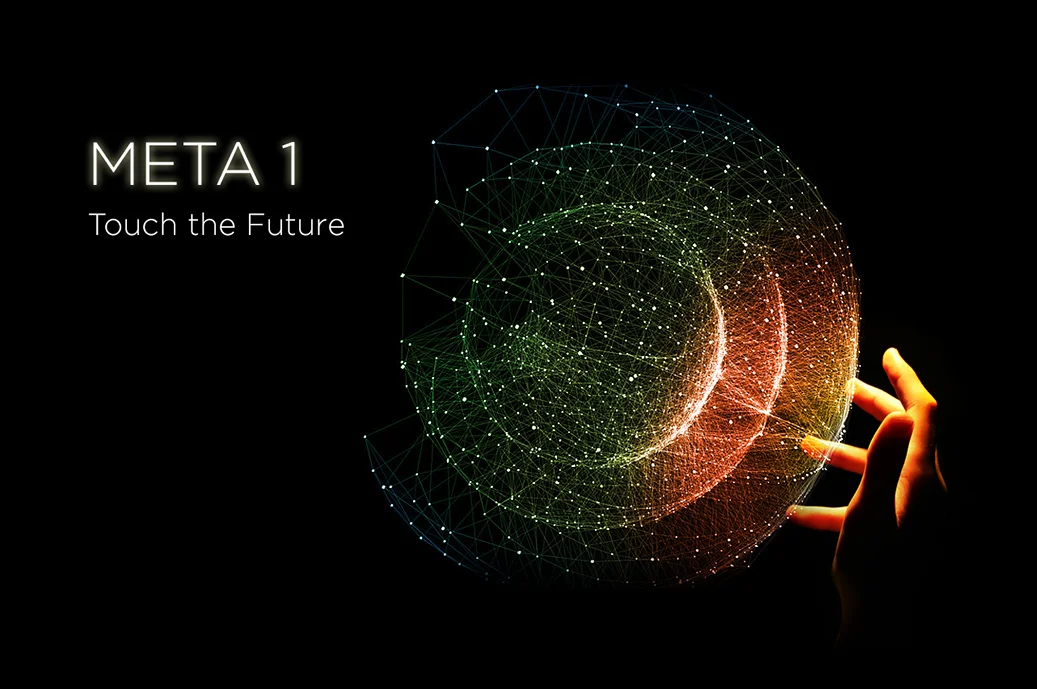
Meta 1 HMD
Meta 1 HMD

Rigging the HMD cables for a photoshoot.

Calibration
Calibration

QR code calibration, the 'old fashioned way.' Not elegant but usually reliable. Early stages of augmented reality.

HMD Optics.
HMD Optics.

View through the HMD, early stage development of optics.

User Flows for Augmented Reality Apps.
Meta_Comms_Flow.jpg
Meta_3DObj_Flow.jpg
Working through user flow and usability of holographic interactions.
Meta_StickyNotev2_Flow.jpg
Roadmapping.
Roadmapping.
Meta_Support_Flow.jpg
Meta_fulfillment_Flow.jpg
Wireframes for App Launch Screens.

I spec'd the low-poly art aesthetic. Gave the 3D artists the option to offer additional ideas on approach but they both liked this direction and applied it really well in their animations:

Holographic App Launch Screen

Black = transparent in AR UI design.

Final UI & 3D design/animation by the A-Mazing Jayse Hansen.

Holographic App Launch Screen

Final UI & 3D design/animation by the also A-Mazing Lynwood Montgomery.

Wireframe + User Flow

"Wireflows" were the most applicable schematic solution for these very first prototypical apps. These first two apps launching along with the publication of the SKD were very much a "hello world," demonstrating this new technology but not yet pushing the limits.

Meta_HoloWeb_CHrome_UX.jpg
Meta_HoloWeb_UX.jpg
SDK Wireframing and Usability
'Paper Prototyping' for Augmented Reality.
Testing hardware.
Testing hardware.
HMD: Sketching
HMD: Sketching

Frog Design created the base HMD unit. I was asked to consider the usability, size and placement of several additional buttons along both sides of the unit. 

HMD: Button Research.
HMD: Button Functionality Proposal

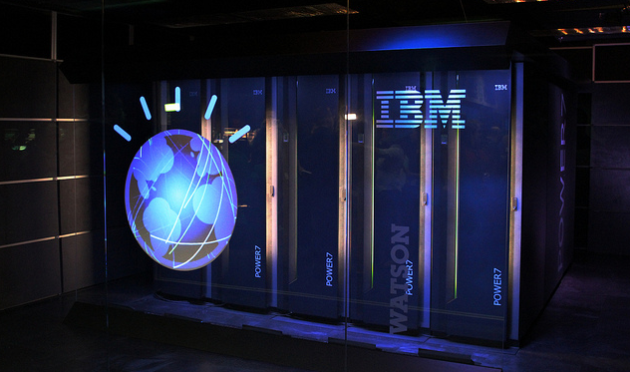
IBM Astor Place Holographic Experience

Case Study:
Project: Create an Interactive Showcase concept for Watson Lab researchers in Austin, TX.

*This project turned out so well that it was implemented and installed in IBM's Manhattan, NY location known as Astor Place.

-------------------------

Brief:
The Big Idea: Create an experiential showcase concept for lab researchers, to provide an interactive and immersive platform for demonstrating their cutting edge technologies with an emphasis on education of how Watson works.
Strategic Goal: Futuristic, cognitive, cinematic, 3D -- blend value and 'Wow!' factor.
Target Hardware: 80” touch screen.
Target Audience: Internal IBM personnel, potential partners, school field trips.
Deliverable: Visual treatment of a single screen GUI mockup with annotations.

Use Case Scenario:
• Primary Users: Lab Researchers and IBM Tour Guides.
• Content: Research from current Watson Labs project.

Watson Labs Project: Interactive Showcase for Lab Researchers
Conceptual Hologram Use Case

My vision for interacting with holograms.

Research: Display Hardware
Research: Data Visualization
Research: Immersive Environments
Research: Holograms, Interactive HUDs
Research: Modern Workspaces
Screen shot 2014-05-08 at 1.55.23 PM.png
Layout3_nohand.png
new_holo1.png
new_holo2.png
IBM Astor Place, Manhattan, NY

SocialCare

As the Director of User Experience & Creative for this startup, I created the UX and design of their EMR (electronic medical records) platform. I translated complex healthcare industry-specific guidelines and business rules into intuitive, approachable user experiences which are HIPAA-standards-compliant, easy to use and aesthetically engaging. 

I completely reconceived their early-stage rough proto UX architecture while simultaneously creating the new visual design language for the platform; working closely with SME's, PM and Product to define scenarios and MU requirements-based specs; and also with engineering to deliver pixel-perfect assets and visual toolkits.

Focus:
• Enterprise design, PaaS
• User Experience + Branding + Visual Design
• iOS Phone & Tablet (Apple HIG)

Social Care Logo & Product Branding

Branding for both the startup and it's flagship product, I created a treatment based on the client's requirements: must be red/white/blue color scheme and not contain any medical/healthcare iconography. 

This final mark can be seen as an abstract top-down view of a care-giver and his patients, or reversed – a patient and his care team. It can also represent the SocialCare core platform and the future product family. 

Concept Model
Concept Model

Concept for a SocialCare Marketplace, much more than an app store. Primary users are Admins, Pharmacies, Technicians, Nurses, Physicians and Specialists. Content includes not only a wide variety of apps but also subscriptions, events and conferences, reference libraries, video and more. 

Social Care Business System
Creative: Mood Board 1

First of three mood boards, presenting options for look and feel direction.  

Creative: Mood Board 2

Second of three mood boards. Stakeholders liked this one, with modifications...

Creative: Mood Board 3

Selected mood board direction. Stakeholders gravitated towards this color scheme and requested metallic accents. The final product look-and-feel morphed a bit during production, but still retained some of the qualities they liked here.

Creative: Visual Toolkit

Many months in the making, this visual toolkit contains all assets and stylized graphics used in the SocialCare iOS tablet platform.

Multi-platform
Multi-platform

SocialCare's primary use cases are targeted at two main platforms: iOS tablets in use during 1:1 patient care during exams and visits. Secondary use case is browser-based, used by the office staff, back-of-house and admins.

I created the branding, GUI design and UX architecture for the startup and the product.

HomeScreen_sm.jpg
iOS: Physician's 'My Account' Dashboard

My GUI design based on my UX architecture + established style guide/mood boards. Interaction design follows Apple HIG standards.

Wireframe for Objective: Pain Location + Severity
Final design for Objective: Pain Severity + Location
Screens comprising the SOAP Note flow
SOAP_Assess_BrowseCodes_Update_v3.jpg
App Store iOS7 Assets

We migrated to the new "Flat" design aesthetic, circa fall/winter 2013.

Custom Web Font
Custom Web Font

I created a font comprised of 80+ icons. This technique is used to ensure that icons (and custom fonts) stay crisp and pin-sharp when viewed in browsers across platforms, especially on retina displays.

User Flow Sketches
User Flow Sketches

Brainstorming/sketching of SOAP Note user flows.

User Flow Diagram
User Flow Diagram

 Scenario: Scheduled Patient, Note Customization Options.

Wireframe: 'Cards' Interaction Method

Scenario: Care team working through a Note.
Each of the two main panels scrolls vertically/independently, providing efficient and contextual interaction between local navigation on left and associated card content on right.

This was my suggested solution to the common use case of physicians needing easy and intuitive access to all parts of a 'Note' during a patient exam. [Common complaints of current EMR's: they force the user to focus more on the tool rather than the patient.] The card interaction methodology heretofore unseen in EMR's, and was met with great enthusiasm by our SME's.

Wireframe: Interaction Method

Diagram describes user experience and interaction design of recording a patient's skin exam.

Page-Typing based on Content Types

SocialCare marketing site; diagram indicates page types for early architecture discussions.

Sony Electronics

I was asked to create both the UX and visual design for a new Unified Platform News & Blog project for Sony. 

Stakeholders provided formal business requirements, documentation and brand guidelines. What follows are the highlight of my process:

I created the site architecture based on use case scenarios, content types and hierarchies, tech touch points, page types and functional requirements. 

After the sitemap was finalized, I began iterative wireframing, based on the structure, naming conventions, navigation, user decision-points, tech stack, features and, from a high-level, front-end functionality outlined in the sitemap. Wires are used to flesh out the content hierarchy, interaction metaphors and detailed page/screen interface architecture. Annotations serve to articulate F&F (features & functionality), content points, tech notes and other specs, including open issues, providing discussion points and actionable items, next steps and ultimately will become a set of blueprints used by both designers and developers.

UX phase was followed by visual design, based on the approved architecture and client's brand guidelines. Lastly, I created a development style guide/spec for build using WordPress. 

View the live site here.

Sony Blog Home
Sony Blog Home

Driven by a CMS, the dynamic grid is easily refreshed as new content is published. Each tile deep-links to it's blog post within the site.

Blog Post
Blog Post

Template features: multi-image content, copy, attribution, threaded commenting, sharing and posting by members.

Press Image Gallery Lightbox

Image gallery via light box overlay which features paging and thumbnail-based carousel navigation, textual content and sharing.

Sitemap
Sitemap
Sony Blog Home: Wireframe
Press Page Wireframe
Image Gallery Wireframe
Styleguide
Styleguide

This guide presents detailed specs for developers with regards to building the final design.

Styleguide
Styleguide
Styleguide
Styleguide

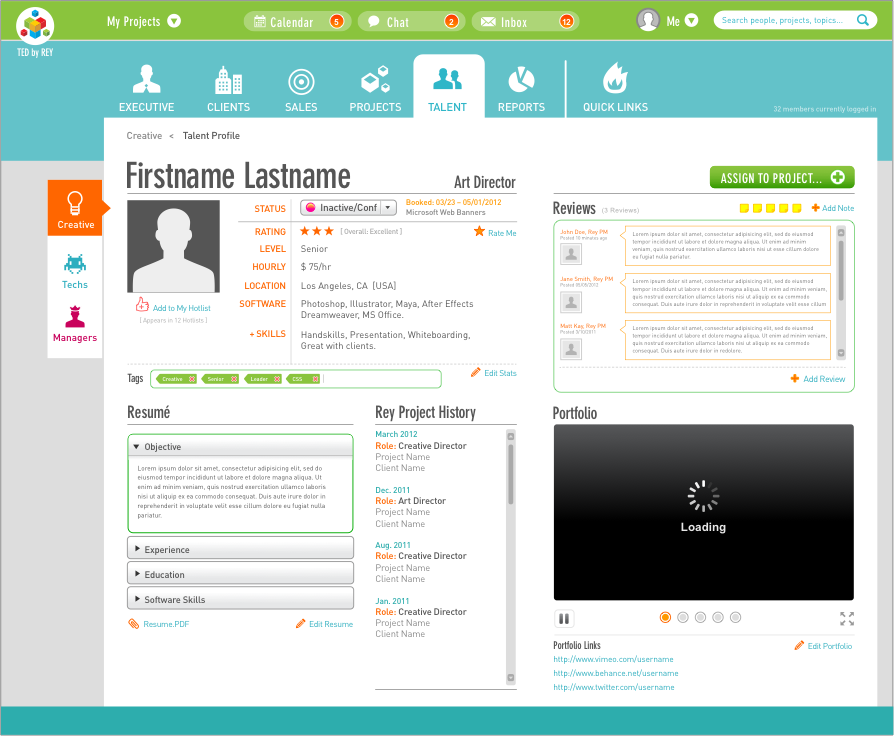
Codename: TED

My agency client decided to undertake building a custom software package to address a problem they were having in the video project/production space: lack of a solid project management software, tailored to meet their requirements. Salesforce, Basecamp, MS Project  none met their specific industry needs.

They came to me with a set of primitive, generally referential wireframes, and a challenge to re-create the user experience using a more professional approach while simultaneously creating the visual design. In their words, "make this garage full of tools feel more like a swiss army knife. We don't want to 'Apple-ize' it and remove or bury useful features just for the sake of simplicity, but we want the experience to be more pleasant than working in Excel."

They added, "Ultimately, you're the UX expert, with freedom to use your own respected judgment. Our primary goals are simply that it's easy to use and train others to use, and that it's as friendly and approachable as reasonably possible. We want 'TED' to be an assistant, and never an obstacle." 

With my client's complete trust, I led them through my creative process of market research, color palette exploration, mood boarding, and the unconventional (and not recommended) "UX-during-design" approach, delivering the system of screens at left. I designed the entire system in Illustrator, with all assets generated as .SVG also easily rendered via code. This also makes for an efficiently-rendered GUI on the backend. Flat before flat was cool. :-) 

The client was thrilled with the end product, expressing that it exceeded all of their needs and desires. 

TED_Profile.png
1 of 2 Mood Boards: "Dark Digi-Tech"
Selected Mood Board: "Fresh n' Juicy"

Client felt this was much more engaging and would create a more inviting approach to the interface, considering the end users would be spending many hours a day in this tool. (I agreed!)


UPDATE: My moodboards got a bit of press recently
@CANVA: "How to Create a Moodboard" – thanks, guys!

Final Visual Toolkit & Style Guide
Grid used for entire application.
01.png
02.png
03.png
04.png
05.png
06.png
07.png
08.png
09.png
010.png
011.png
012.png
013.png
014.png
015.png

Chef Mark Peel

Chef Mark Peel, founder and previous owner of Campanille and La Brea Bread in Los Angeles, CA has asked me to create branding for his new culinary pursuits, soon to be announced. Look for his re-emergence into the LA food scene fall of 2014!

Chef Mark Peel
Chef Mark Peel
Creative Brief & Positioning
Design Matrix
Design Matrix
Mood Board + Review Notes
Mood Board: Final Direction

Chef really resonated with hand-crafted aesthetic, especially wood carving. He loves organic imperfections and authenticity of this direction.

Mood Board: Pictorial Aesthetic

Chef cares deeply about the simplicity of unfussy, unadulterated, sustainably-sourced food. The imagery that will be used throughout the coming design development will reflect this approach to food with it's integrity intact.

Final Selected Logo
Final Selected Logo

...for further refinement.

RelayTV: Live Relay

RelayTV is an interactive social TV service connecting families and friends during TV time. It allows for real-time two-way fun interaction while you watch a variety of sports, hobbies, or lifestyle shows together even across the globe. Share the moment, watching and interacting together, as if you were in the same living room.

I created the user experience and look-and-feel of the new marketing-driven Live Relay website, as well as the UX for the Relay.TV web browser streaming experience.

Relay.TV Player
Relay.TV Player

RelayTV® is an interactive social TV service that re-connects families and friends together during TV time. It allows for two-way fun interaction while you watch a variety of sports, hobbies or lifestyle shows together - live - even cross country. Share the moment from your big-screen TV, as if you were in the same living room together.

Sitemap
Sitemap

New architecture for Live Relay's marketing website. This exercise included incorporating new messaging content, revisiting interactions throughout the site, creating a method by which potential customers could test-drive the Relay.TV streamed programming and social experiences.  

Working through user flows.
Mood Board (1 of 2)
Mood Board (1 of 2)

Client selected this direction – bright, vibrant, warm, not too "techie." They especially loved the color swatch strip above "Virtual Living Room" and requested that be the new primary color palette. 

Mood Board (2 of 2)
Mood Board (2 of 2)
Mockup 1
Mockup 1

Initial look and feel applied to home page mockup, illustrating new global and utility navigation, content hierarchy and layout, influenced by selected mood board direction.

Mockup 2
Mockup 2

Revised design modified color palette, added shadow accents for depth.

Mockup 3
Mockup 3

This revision employs photography featuring a human element, which encourages more of a connection with the user. 

Mockup 4, Final Design

The final visual design and treatment represents a more subdued color palette than the chosen mood board might suggest. Throughout the design process, the client gravitated away from the chosen mood board towards a more neutral palette with bright colors used solely for CTA's and controls.

Interaction Design: GUI Controls & States

Example of hover-states and selections.

Shop Relay.TV devices

Demonstrating how the final look and feel is implemented beyond the Home page.

Functional Overview & Annotations

This document provided a detailed overview of the UX and design approach and solutions.

Relay.TV "Box Experience"

Screen captures and mapping of existing user flow through the Relay.TV "box experience" illustrating the user's path through launching the experience on their TV and navigating via Relay.TV remote.

Relay.TV Web Player Streaming UX

Wireframe establishing the two states of the web player experience: default state and full screen, showing associated content/controls for each state. (Refer to close-ups below).

Relay.TV Web Player Streaming UX

Detail view of default state (windowed, not full screen).

Detail view of Full-Screen Web Player
Controls UX
Controls UX
Channel List & What Friends Are Watching
Channel Guide UX
Channel Guide UX

Starbucks Love Project

In one amazing moment, the world came together to sing about the one thing we all have in common: love. People from around the world sang the legendary hit "All You Need is Love" in a single voice on December 7, 2009 at 8:30amEST. The global sing-along was part of Starbucks' continuing efforts to help fight AIDS in Africa. In just one year in partnership with (RED)™, Starbucks has generated money equivalent to more than 7 million days of medicine to help those living with HIV in Africa.

I was very fortunate to be involved in this incredible and global effort, asked to provide the UX across a very complex and multi-phased release with many moving parts. The many talented people and agencies involved include: Aaron Koblin, Chris Palmer, Justin Bain, Michaela Johnson, Jesse Brihn, Brian DiLorenzo, Dustin Callif, BBDO NY, Hello Enjoy, and of course Starbucks & (RED) client.

"We used Starbucks' global reach to raise donations for the Global Fund to Fight AIDS in Africa. On December 7, 2009 we united musicians from over 156 countries to sing 'All You Need Is Love' at exactly the same time. It was broadcast online so the whole world could join in."
– Tool of North America/Gorgeous Enterprises

The three videos included give an idea of how amazing this project was, including the 'Making of.' Don't miss 'em!

Note: All creative displayed here is courtesy of Hello Enjoy and Tool of North America and is the result of many hands, presented with the purpose of showing how the UX informed the creative. 

SBUX_Luv_cover.png
Promo for Starbucks Love Project

The many talented people and agencies involved include:

Aaron Koblin, Chris Palmer, Justin Bain, Michaela Johnson, Jesse Brihn, Brian DiLorenzo, Dustin Callif, BBDO NY, Hello Enjoy, and of course Starbucks & (RED) client.

"We used Starbucks' global reach to raise donations for the Global Fund to Fight AIDS in Africa. On December 7, 2009 we united musicians from over 156 countries to sing 'All You Need Is Love' at exactly the same time. It was broadcast online so the whole world could join in." – Tool of North America/Gorgeous Enterprises

UGC User Flow
UGC User Flow

Love Drawing (user-generated content) Facebook flow and integration.

Sitemap: Phase 1 – 2
Sitemap: Phase 3 – 4
Love Gallery Wireframe
[Infinity] Love Drawing Gallery
[Infinity] Love Drawing Gallery
Love Drawing Wireframe
Love Drawing
Love Drawing
UGC Video + Sharing
UGC Video + Sharing
Playing for Change
Playing for Change
The Making Of and Final Video

Watch this Making Of video for a glimpse of how it all came together.

All You Need Is Love

Fun video showing all the remote sing-a-longs, edited together to create the experience. 

Disney International Marketing Group

This special group within Disney had an enterprise-scale, critically important problem to address. I was able to help them solve the problem of replacing their out-of-date and inefficient process of launching and marketing film campaigns by creating a customized intuitive, collaborative and cross-group enterprise product used for efficiently managing the launch of Disney's theatrical releases outside of the US (initially, then to be implemented stateside). 

After an initial consultation, where I was able to gather the key pain points, needs and requirements, develop primary user types and use-case scenarios, I determined what they needed was a custom portal, a unique 'Sharepoint' approach, but completely customized to their needs and environment. After immediate buy-in by the key stakeholder, I won the UX contract and was flown to LA the next day to lead a 3-day intensive onsite with the agency and Disney stakeholders.
My role was the Principal UX and Product Architect.

DIS_COVER2.jpg
Disney IMG Ecosystem Diagram & Approach

One of my early UX Discovery Phase techniques is to create an ecosystem diagram, reflecting all entry points, landing screens, core tasks, ingestion and export items, and user flows for these items comprising the system. Often times I'll create two ecosystem diagrams reflecting both the current system and the proposed system for compare/contrast.

Disney IMG: System Sitemap

After our 3-day immersion where we whiteboard-ed the new features and functionality, I was able to articulate the new system beginning with this sitemap, which represents the scope of the front end experience, including landing screens, user decision points, features and functionality, and technologies used within this new system.

Disney IMG Wireframe: Calendar Timeline, Annual View

It was a known factor this system would have a complex user experience under the hood, but my highest imperative was that it be absolutely intuitive to use.  

This wireframe of the 'Annual-view of campaigns timeline' features color coding of each campaign for quick identification, with shapes representing starting/ending states. Once the user learns this simple key, browsing/searching/finding throughout the system becomes effortless. 

Campaigns features two views: timeline and calendar grid, with filtering/soloing by campaigns and/or film-related events.

The wireframe also illustrates various interaction mechanisms by which additional controls, content and options are accessed. 

There are two tools which consistently follow the user throughout the system: Alerts Menu and Hot List (which contains My Tasks and Watch List). This is just one example of how I was able to interpret the user's needs into an intuitive and problem-solving system. 

Disney IMG Wireframe: Selected Campaign

In this wire, I'm illustrating a 2.5 month view of a selected campaign, showing all key milestones in the timeline. Users can zoom in/out of the graphical timeline for more granular or high-level data representation. 

The spreadsheet-like panel below allows for much detailed information to be presented in a compact yet easy to understand way, while also indicating context, hierarchy and offering additional controls. Users view, sort, select, email, and receive alerts within this panel. Users can also navigate other active, past and future campaigns via the ever-present Campaigns panel on the left.

Disney IMG Wireframe: Calendar Grid

By comparison, this calendar view depicts both campaigns and events, with interaction mechanisms for each. Users can also create new calendar items from this state, and 'deep dive' into all or selected individual campaigns via the data panel below. My goal was to provide as much required information about a campaign to the user, keeping it all at their fingertips, while also offering opportunities for navigating deeper levels of data and controls as needed via self-direction. 

The feedback from stakeholders, and the agency's design and dev were very happy with this level of wireframe fidelity and accompanying annotations. I approach wireframing as creating blueprints for software – each discipline should find what they need to execute their jobs successfully. 

Disney IMG Wireframe: Calendar Grid – Week View

The calendar grid view has three view states within the grid: day, week and month views. 

Disney IMG Wireframe: Timeline Concepts

Exploration of various timeline architectures/designs.

.

MoreComing.jpg
prev / next
Back to Recent Projects
MetaTile_600x600.jpg
29
Meta: Augmented Reality
Watson Labs Project: Interactive Showcase for Lab Researchers
14
IBM Watson Labs
Social Care Logo & Product Branding
21
SocialCare
SonyBlog_Home_.png
10
Sony Electronics
TED_Profile.png
20
Codename: TED
CHEF_HEADSHOT.jpg
8
Chef Mark Peel
Relay.TV Player
19
RelayTV: Live Relay
SBUX_Luv_cover.png
13
Starbucks Love Project
Maleficient_FRENCH_sq_sm.jpg
8
Disney International Marketing Group
MoreComing.jpg
1
.

©Carolyn Farino, Digerati Design.